
The Problem with Building AI Agents
Every time a business wants a new AI agent — a customer support bot, a lead qualifier, a booking assistant — they need a developer. Weeks of work. Thousands of dollars.
What if non-technical users could build and deploy AI agents themselves?
That's what I built: a drag-and-drop AI Agent Builder where users visually connect nodes to define agent behavior, then deploy with one click.
How It Works — User Perspective
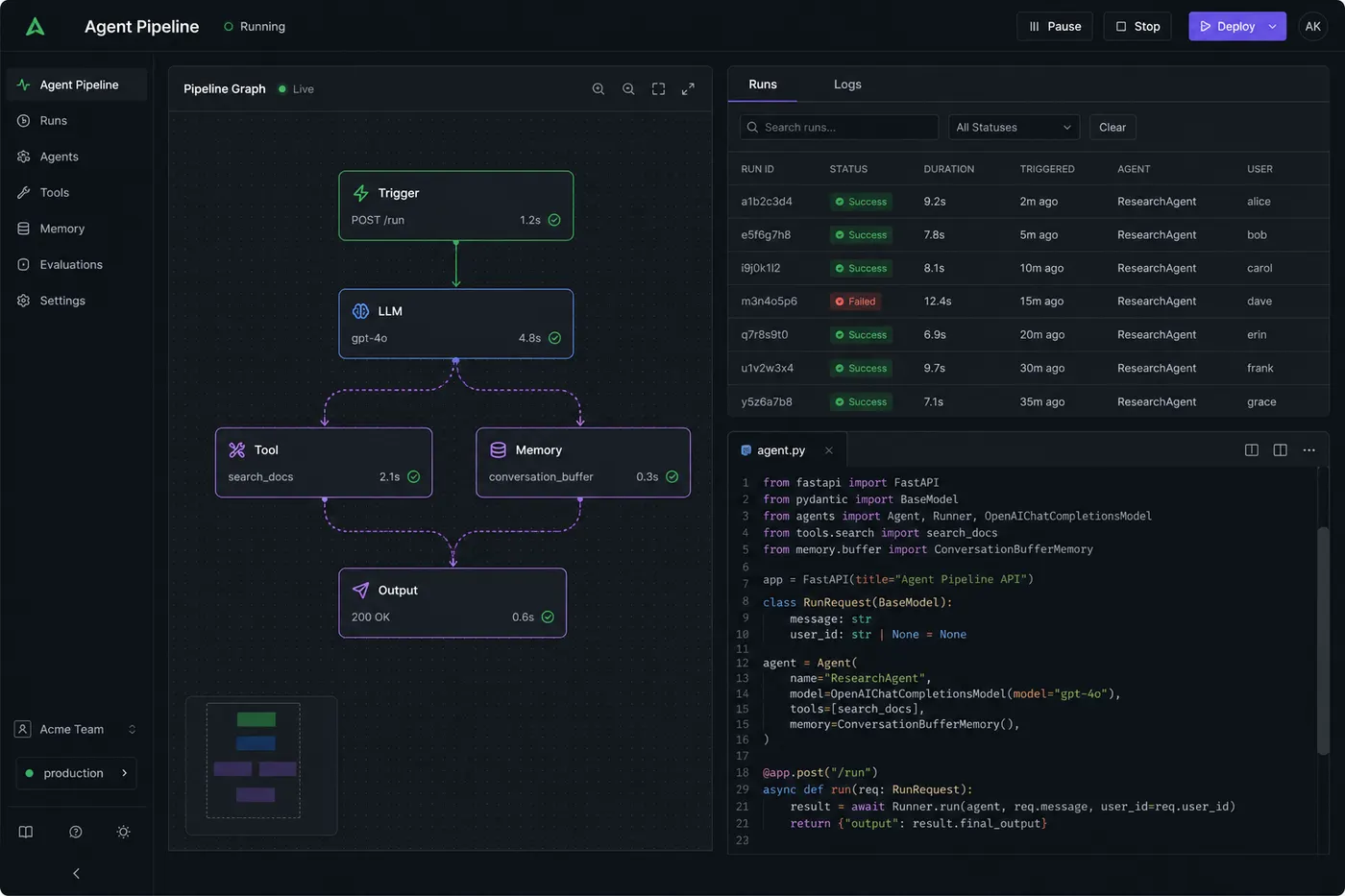
A user opens the builder and sees a canvas. They drag nodes:
- Trigger node — "When a call comes in..."
- LLM node — "Ask the AI to greet and ask for name"
- Condition node — "If lead is interested → qualify; else → schedule callback"
- Tool node — "Update CRM with lead score"
- End node — "Thank and disconnect"
They connect these with arrows. Hit Deploy. Done.
The Technical Architecture
The builder stores agent configuration as a graph JSON:
{
  "nodes": [
    { "id": "n1", "type": "trigger", "config": { "event": "call_start" } },
    { "id": "n2", "type": "llm", "config": { "prompt": "Greet the user warmly..." } },
    { "id": "n3", "type": "condition", "config": { "field": "leadScore", "operator": ">", "value": 7 } },
    { "id": "n4", "type": "tool", "config": { "tool": "update_crm" } }
  ],
  "edges": [
    { "from": "n1", "to": "n2" },
    { "from": "n2", "to": "n3" },
    { "from": "n3", "to": "n4", "condition": "true" }
  ]
}
At runtime, an execution engine traverses this graph:
async function executeAgent(graph, context) {
  let currentNode = graph.getStartNode();

  while (currentNode) {
    const result = await executeNode(currentNode, context);
    context.update(result);

    // Find next node based on edges + conditions
    currentNode = graph.getNextNode(currentNode.id, context);
  }
}
The Frontend: React Flow
For the visual canvas, I used React Flow — an open-source library for node-based UIs. Custom node types for each agent block. The canvas state serializes directly to the graph JSON above.
Key challenges:
- Validation — Prevent invalid graphs (cycles, disconnected nodes, missing required configs)
- Real-time preview — Show a simulated conversation as the user builds
- Versioning — Save snapshots so users can roll back agent versions
What Made This Hard: Non-Deterministic LLM Output
The hardest part was conditional branching with LLM outputs. LLMs don't always return consistent values. If your condition node checks leadScore > 7 but the LLM returns "score: high" instead of a number — the graph breaks.
Solution: Output parsers for every LLM node. Force structured JSON output with Zod validation:
import { z } from "zod";

const schema = z.object({
  response: z.string(),
  leadScore: z.number().min(1).max(10),
  intent: z.enum(["interested", "not_interested", "reschedule"]),
});

const parsed = schema.safeParse(JSON.parse(llmOutput));
if (!parsed.success) {
  // Fall back to safe default — never crash the graph
  return getDefaultNodeOutput(node);
}
This made graph execution deterministic regardless of LLM variations.
Deployment Pipeline
When a user clicks "Deploy":
- Validate the graph JSON
- Compile to an execution plan
- Store in MongoDB with a version tag
- Assign a webhook endpoint:
api.platform.com/agent/{agentId}/trigger - The execution engine picks up triggers from this endpoint
Zero downtime deploys — new version gets the same webhook, old version keeps running until explicitly switched.
Result
Business users building agents in 20 minutes that would have taken 2 weeks of dev time. This is where no-code meets agentic AI.
Full portfolio: buildbysandeep.dev